
Building a professional online presence is no longer optional for architecture firms, construction companies, interior designers, real estate developers, and engineering businesses. A modern website helps businesses showcase projects, build trust, generate leads, and strengthen their brand identity. Choosing a well-designed Architecture Construction Website Template can significantly reduce development time while providing a polished user experience from day one.
According to Statista, the global construction industry is expected to continue growing over the coming years, creating increased demand for professional digital experiences. At the same time, Google research shows that users often judge a company’s credibility within seconds of visiting its website. These trends make a modern, responsive website an essential asset for construction and architecture businesses.
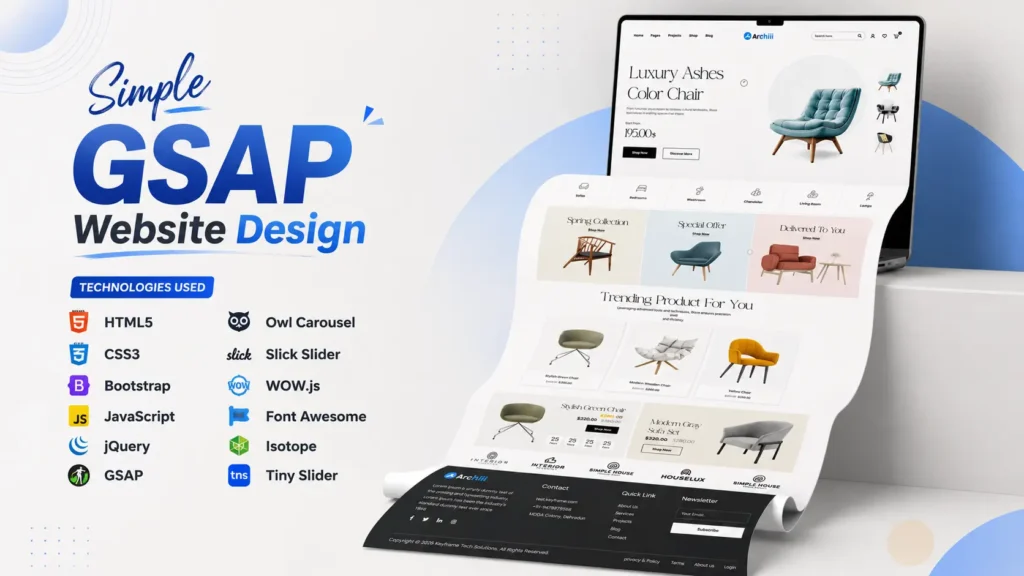
If you’re searching for a clean, responsive, and professionally designed Architecture Construction Website Template, this project offers an excellent starting point. Built using modern front-end technologies like HTML5, CSS3, Bootstrap, JavaScript, GSAP, and jQuery, it delivers an elegant user interface, smooth animations, responsive layouts, and a structure that’s easy to customize.
Whether you’re a beginner learning front-end development, a freelancer creating client projects, or an agency building websites for construction businesses, this template provides an organized codebase and attractive design that can accelerate your workflow.
Why Choose This Architecture Construction Website Template?
Unlike generic business templates, this project is specifically designed for companies operating in the construction and architecture industry. Every section is carefully organized to help visitors quickly understand services, explore completed projects, and build confidence in the brand.
The design focuses on three important factors:
- Professional visual appearance
- Excellent user experience across devices
- Easy customization for developers
The homepage immediately grabs attention with modern typography, engaging animations, strong call-to-action sections, and organized content blocks that naturally guide visitors through the website.
Instead of unnecessary visual clutter, the design emphasizes readability, project presentation, and business credibility.
Technologies Used
One of the biggest strengths of this project is its modern technology stack. The code follows a structured approach that makes future customization much easier.
| Technology | Purpose |
|---|---|
| HTML5 | Semantic page structure |
| CSS3 | Modern styling and layouts |
| Bootstrap | Responsive grid system |
| JavaScript | Interactive functionality |
| jQuery | DOM manipulation |
| GSAP | High-performance animations |
| Owl Carousel | Responsive sliders |
| Slick Slider | Content carousel |
| WOW.js | Scroll animations |
| Font Awesome | Professional icons |
These technologies work together to create a fast, responsive, and visually engaging user interface suitable for modern business websites.
Modern Homepage Design That Creates a Strong First Impression
The homepage is the most important page of any business website. It acts as the digital face of the company and often determines whether visitors continue exploring or leave within a few seconds.
This Architecture Website Template includes a professionally designed homepage that balances aesthetics with usability.
Some standout design elements include:
- Full-width hero banner
- Modern typography
- Smooth scrolling animations
- Clean section spacing
- Interactive image effects
- Professional color combinations
- Responsive navigation menu
- Animated call-to-action buttons
These elements work together to create an engaging browsing experience while keeping the interface simple and user-friendly.
Fully Responsive Across All Devices
More than 60% of global website traffic now comes from mobile devices, making responsive design a necessity rather than an option.
This template has been designed with responsiveness in mind.
It automatically adapts to different screen sizes, including:
- Desktop computers
- Laptops
- Tablets
- Smartphones
- Large displays
Bootstrap’s responsive grid system ensures every section maintains proper spacing and alignment regardless of screen resolution.
This not only improves user experience but also supports better SEO performance since Google prioritizes mobile-friendly websites.
Professional Sections Included
A professional construction website requires much more than an attractive homepage. Visitors expect to find detailed information about services, completed projects, company background, and contact details.
This project includes multiple thoughtfully designed sections that improve user engagement.
Hero Section
The hero banner creates a powerful first impression using modern typography, background imagery, and strategic call-to-action buttons.
Its clean layout immediately communicates professionalism and encourages visitors to continue browsing.
About Company
The About section introduces the business with a clean content layout, helping establish trust and credibility.
It provides enough space to highlight experience, achievements, company values, and industry expertise.
Services Section
Construction companies often provide multiple services.
This section is designed to present them in an organized card-based layout, making information easy to scan.
Examples include:
- Residential Construction
- Commercial Construction
- Architecture Planning
- Interior Design
- Structural Engineering
- Renovation Services
- Project Management
Each service block can easily be customized according to project requirements.
Featured Projects
Portfolio presentation is one of the strongest selling points for architecture businesses.
This template includes a visually appealing projects section where completed work can be showcased using attractive image cards, hover effects, and project categories.
This helps potential clients understand the company’s expertise before making contact.
Team Members
Displaying architects, engineers, and project managers helps create a more trustworthy brand image.
Dedicated profile cards allow businesses to showcase key team members with photos, designations, and social media links.
Client Testimonials
Trust signals play an important role in lead generation.
The testimonial section allows businesses to display client feedback in a clean slider format, improving overall credibility and visitor confidence.
Contact Section
A professionally designed contact area encourages users to get in touch.
Typical elements include:
- Contact information
- Business address
- Phone number
- Contact form
- Interactive map integration
This improves communication and supports higher conversion rates.
Smooth Animations for Better User Experience
Modern websites are expected to feel interactive without becoming distracting.
This template uses GSAP animations, scrolling effects, hover transitions, and interactive components to create a premium browsing experience.
Instead of overwhelming visitors with excessive motion, animations are applied strategically to:
- Draw attention to important content
- Improve page flow
- Increase engagement
- Enhance visual storytelling
Because GSAP is optimized for performance, these animations remain smooth even on lower-powered devices.
Clean and Organized Source Code
A beautiful design is only valuable when backed by well-structured code.
One of the strongest aspects of this project is its organized folder structure and readable source code.
Developers can quickly locate assets such as:
- HTML files
- CSS stylesheets
- JavaScript files
- Images
- Fonts
- Animation libraries
- Third-party plugins
The logical organization makes future maintenance significantly easier, whether you’re editing layouts, replacing images, changing colors, or adding entirely new sections.
Instead of spending hours understanding confusing code, developers can begin customization almost immediately.
Easy Customization for Developers
Every business has unique branding requirements.
Fortunately, this Construction Website Template has been designed for easy customization.
You can quickly modify:
- Brand colors
- Fonts
- Logo
- Images
- Navigation menu
- Homepage sections
- Service cards
- Portfolio projects
- Testimonials
- Contact details
Because the project follows a modular front-end structure, making changes requires minimal effort compared to rebuilding a website from scratch.
In the next section, we’ll explore advanced customization possibilities, SEO benefits, performance optimization tips, ideal use cases, frequently asked questions, and practical insights that help developers get the most value from this Architecture Construction Website Template.
Advanced Customization Options
One of the biggest advantages of this Architecture Construction Website Template is its flexibility. Whether you’re creating a website for an architecture studio, construction company, engineering consultant, or interior design business, the layout can be customized without rebuilding the entire project.
Developers can easily personalize almost every section to match a company’s branding and requirements.
Some common customization options include:
- Updating the company logo
- Changing the primary and secondary color palette
- Replacing demo images with actual project photos
- Editing fonts and typography
- Adding new service sections
- Creating additional project galleries
- Integrating contact forms
- Connecting Google Maps
- Linking social media profiles
- Modifying navigation menus
Since the project follows a clean folder structure, these modifications can be completed quickly even by developers with basic HTML and CSS knowledge.
SEO-Friendly Website Structure
A visually appealing website alone isn’t enough. It should also follow modern SEO practices to help search engines understand its content more effectively.
This template provides a solid foundation for implementing technical and on-page SEO improvements.
Some SEO-friendly characteristics include:
- Semantic HTML5 elements
- Responsive design
- Organized heading hierarchy
- Lightweight layout
- Fast-loading assets
- Clean navigation structure
- Readable code
- Easy metadata implementation
These features make it easier to optimize pages for search engines while maintaining an excellent user experience.
For even better performance, developers can further enhance the website by:
- Compressing images
- Using WebP image format
- Minifying CSS and JavaScript
- Enabling browser caching
- Implementing lazy loading
- Adding structured data (Schema Markup)
Performance Optimization Tips
Website speed directly impacts both user experience and search rankings. Research from Google has shown that users are more likely to leave websites that take several seconds to load.
To maximize the performance of this template, consider the following optimizations:
| Optimization | Benefit |
|---|---|
| Image Compression | Faster page loading |
| Lazy Loading | Reduces initial page weight |
| Minified CSS & JS | Improves rendering speed |
| Browser Caching | Faster repeat visits |
| WebP Images | Smaller file sizes |
| CDN Integration | Better global performance |
| Optimized Fonts | Reduced loading time |
Applying these best practices can significantly improve Core Web Vitals and create a smoother browsing experience across all devices.
Who Can Use This Template?
Although designed for architecture and construction businesses, the layout is versatile enough for many industries.
It can be customized for:
- Architecture Firms
- Construction Companies
- Building Contractors
- Interior Designers
- Civil Engineering Companies
- Real Estate Developers
- Property Consultants
- Infrastructure Companies
- Renovation Businesses
- Industrial Service Providers
- Home Builders
- Commercial Developers
Its clean business-oriented design makes it suitable for both small businesses and large organizations.
Why Developers Like This Source Code
Developers often spend more time organizing project files than building new features. A well-structured project saves hours during customization and maintenance.
This template offers several developer-friendly benefits:
- Easy-to-read HTML structure
- Organized CSS files
- Well-separated JavaScript components
- Responsive Bootstrap layout
- Modern animation libraries
- Reusable UI components
- Scalable project structure
- Beginner-friendly code organization
These advantages help both experienced developers and beginners work more efficiently.
Best Use Cases
This Architecture Construction Website Template works well for a variety of web development projects.
Popular use cases include:
- Business websites
- Portfolio websites
- Agency projects
- Client website development
- Learning HTML and CSS
- Bootstrap practice projects
- Front-end development practice
- UI design inspiration
- Professional portfolios
- Website redesign projects
Its modern layout makes it suitable for showcasing services, company information, completed projects, and customer testimonials in an organized manner.
Why This Template Stands Out
Many website templates focus only on appearance, but practical usability is equally important.
This project combines attractive visuals with thoughtful user experience.
Key highlights include:
- Modern homepage layout
- Professional UI design
- Responsive Bootstrap framework
- Smooth GSAP animations
- Organized source code
- Clean typography
- Interactive project showcase
- Mobile-friendly navigation
- Easy customization
- Professional business sections
These features make it a reliable starting point for creating high-quality business websites.
Video Preview
Seeing a live preview helps developers understand the overall layout, animations, responsiveness, and user experience before exploring the project further.
Tips Before Using the Source Code
Before starting your project, it’s a good idea to plan the customization process.
Here are a few practical recommendations:
- Replace all placeholder images with high-quality project photos.
- Update company details, services, and contact information.
- Optimize images before publishing.
- Test responsiveness on multiple devices.
- Check all navigation links.
- Improve page speed using compression techniques.
- Add relevant SEO metadata.
- Implement Schema Markup for better search visibility.
- Regularly update libraries when newer stable versions are available.
These small improvements can significantly enhance the final website.
Frequently Asked Questions
What technologies are used in this Architecture Construction Website Template?
This template is built using HTML5, CSS3, Bootstrap, JavaScript, jQuery, GSAP, Owl Carousel, Slick Slider, WOW.js, and Font Awesome to create a modern and responsive user interface.
Is the source code beginner-friendly?
Yes. The project uses a clean folder structure and organized code, making it suitable for beginners who want to understand modern front-end development practices.
Can I customize the website design?
Absolutely. You can modify colors, typography, layouts, images, navigation menus, service sections, project galleries, and other components according to your project requirements.
Is the template responsive?
Yes. The layout adapts smoothly to desktops, laptops, tablets, and smartphones using Bootstrap’s responsive grid system.
Can I use this template for client projects?
Yes. Developers, freelancers, agencies, and businesses can customize the source code for various architecture, construction, engineering, and related business websites according to their needs.
Does this template include animation effects?
Yes. Smooth animations powered by GSAP and additional front-end libraries create a modern and engaging browsing experience while maintaining performance.
Final Thoughts
A professional website is often the first interaction potential clients have with an architecture or construction business. A modern, responsive, and well-structured design can create a strong first impression while improving user engagement and credibility.
This Architecture Construction Website Template combines clean UI design, responsive layouts, organized source code, and modern front-end technologies into a single project that’s easy to understand and customize. Whether you’re a student exploring front-end development, a freelancer building client websites, or an agency creating business solutions, this template offers a practical foundation for delivering professional results.
With responsive design, optimized structure, smooth animations, reusable components, and developer-friendly code organization, it provides everything needed to build a polished architecture or construction website efficiently. Explore the source code, customize it to match your vision, and create a professional web experience that stands out in today’s competitive digital landscape.
You may also like our HTML Admin Dashboard Template, Bootstrap Portfolio Website Template, and Responsive Business Website Template for more frontend projects.
6 people bought this
Grab it Now for Just 499 ₹999


