
Introduction
Having a form is one of the most common requirements when building websites that require user authentication. Bootstrap 5, the latest version of the popular front-end framework, comes with a wide range of tools and components that make web development faster and more efficient.
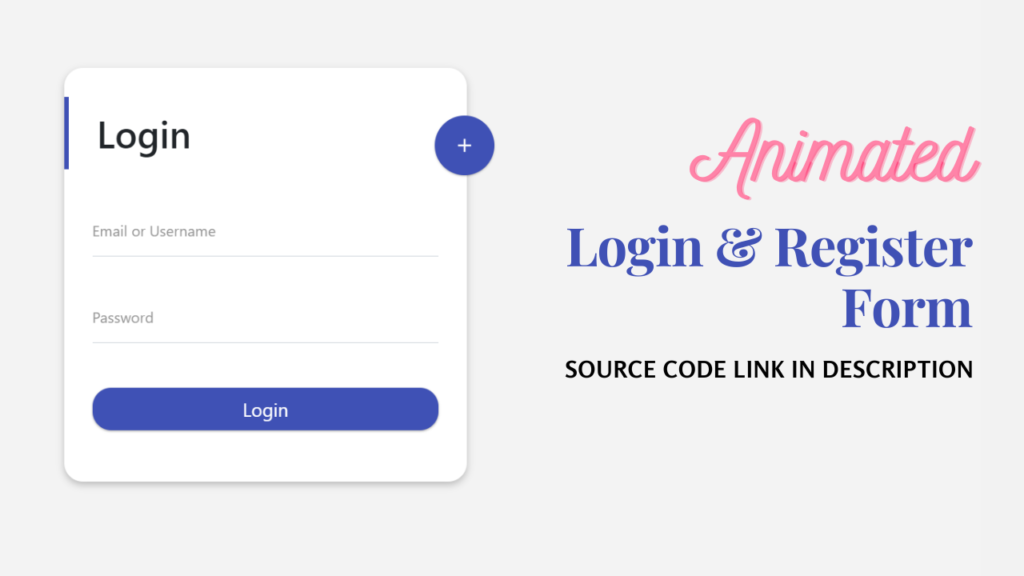
In this guide, we will show you how to create a responsive login and register form using Bootstrap 5. By the end of this tutorial, you’ll have a functional form that’s easy to implement and customize for your website or application.
✅ Watch Live Preview 👉👉
Click Here to Download the Code
What is Bootstrap?
Before we begin, let’s quickly review it. Bootstrap is a free, open-source front-end framework that provides a collection of CSS and JavaScript components for building web pages.
It is widely used by web developers to create responsive, mobile-first websites. Its grid system enables developers to create flexible layouts, while components such as buttons, forms, navigation bars, and modals speed up the development process.
It is the latest version, which removes jQuery as a dependency and introduces new utility classes, making it even easier to build responsive layouts and interactive user interfaces.
Why Use This?
- Responsive Design: It provides a grid system that helps create forms that adapt to different screen sizes, ensuring they look great on all devices.
- Pre-styled Components: You don’t need to write much custom CSS for form elements, as everything is already styled.
- Fast and Easy to Use: Its classes make it quick and easy to design complex forms without writing extensive code.
- Customizable: Although it comes with a default design, it’s easy to customize the form to match your website’s branding.
Setting Up the Project
Before you begin, make sure you have a basic HTML structure in place. You can use any text editor like Sublime Text, VS Code, or Notepad++.
The first thing you’ll need to do is include Bootstrap 5 in your project. There are two ways to add:
- Using CDN (Content Delivery Network): This is the easiest method, as it doesn’t require you to download any files. Add the following lines inside the
<head>tag of your HTML file to link the Bootstrap CSS. I’ve included the CDN code in the HTML structure below. - Download and Host Bootstrap Locally: Alternatively, you can download Bootstrap files from getbootstrap.com and link them locally in your project.
What are the Steps to Create?
Set Up Project
Create a folder on your computer and add the following files inside it:
- index.html
- style.css
- script.js
Source Code
HTML Code Structure
<!DOCTYPE html>
<html lang="en">
<head>
  <meta charset="UTF-8">
  <meta name="viewport" content="width=device-width, initial-scale=1.0">
  <title>How to Create Bootstrap 5 Login and Register Form</title>
  <link rel="stylesheet" href="style.css">
  <link rel="stylesheet" href="https://cdnjs.cloudflare.com/ajax/libs/font-awesome/4.7.0/css/font-awesome.min.css">
  <script src="https://code.jquery.com/jquery-3.5.1.min.js"></script>
  <script src="https://cdnjs.cloudflare.com/ajax/libs/typed.js/2.0.11/typed.min.js"></script>
  <script src="https://cdnjs.cloudflare.com/ajax/libs/waypoints/4.0.1/jquery.waypoints.min.js"></script>
  <script src="https://cdn.jsdelivr.net/npm/bootstrap@5.3.0-alpha1/dist/css/bootstrap.min.css"></script>
  <link rel="stylesheet" href="https://fonts.googleapis.com/css2?family=Poppins:wght@400;500;600;700&family=Ubuntu:wght@400;500;700&display=swap">
</head>
<body>

<!-- CODE -->

<script src="https://cdn.jsdelivr.net/npm/bootstrap@5.3.0-alpha1/dist/js/bootstrap.bundle.min.js"></script>
<script src="script.js"></script>
</body>
</html>
CSS Code Structure
< /* Your CSS code here */ >
< * { >

< margin: 0; >
< padding: 0 >
< box-sizing: border-box; >
<     text-decoration: none; >
<     } >
JavaScript Code Structure
< // JavaScript Code >
You May Also Like: How to Build a Responsive Credit Card Form with HTML CSS & jQuery
Final Touches
Once you have completed the form layout, styling, and functionality, don’t forget to test it on different devices to ensure it’s responsive. Bootstrap’s grid system automatically ensures the form will adjust to various screen sizes, but it’s always a good idea to check it on mobile and tablet devices.
Conclusion
Building a login and register form with Bootstrap 5 is simple and efficient. In just a few lines of code, you can design a responsive and visually appealing form for user authentication.
By following the steps in this guide, you can build a simple yet powerful form to add to your website. Remember, Bootstrap is highly customizable, so you can easily tweak the design and functionality of your forms to meet your needs.
With a bit of creativity, you can create a great form that will help users easily access and interact with your website.
19 people bought this
Grab it Now for Just 20



Appreciate the recommendation. Will try it out.
Very energetic blog, I liked that a lot. Will there be a part 2?
Greetings! Very useful advice within this article! It is the little changes which will make the largest changes. Thanks for sharing!
I always used to study post in news papers but now as I am a user of web thus from now I am using net for posts, thanks to web.