
Introduction
Admin dashboards are the control center of modern web applications. From fintech platforms and ecommerce systems to SaaS products and internal tools, a well-structured admin dashboard UI directly impacts usability, productivity, and decision-making.
BankifyX is a modern and scalable admin dashboard template created using HTML, CSS, JavaScript, and Tailwind CSS. After reviewing the actual source code and folder structure, this guide explains BankifyX at a technical and architectural level—covering layout strategy, components, dashboard pages, and real-world use cases.
This article is written for developers, designers, and product builders who are searching for a reliable admin dashboard template, a clean admin dashboard UI design, and a flexible foundation that can be adapted to multiple project types.
What is BankifyX Admin Dashboard?
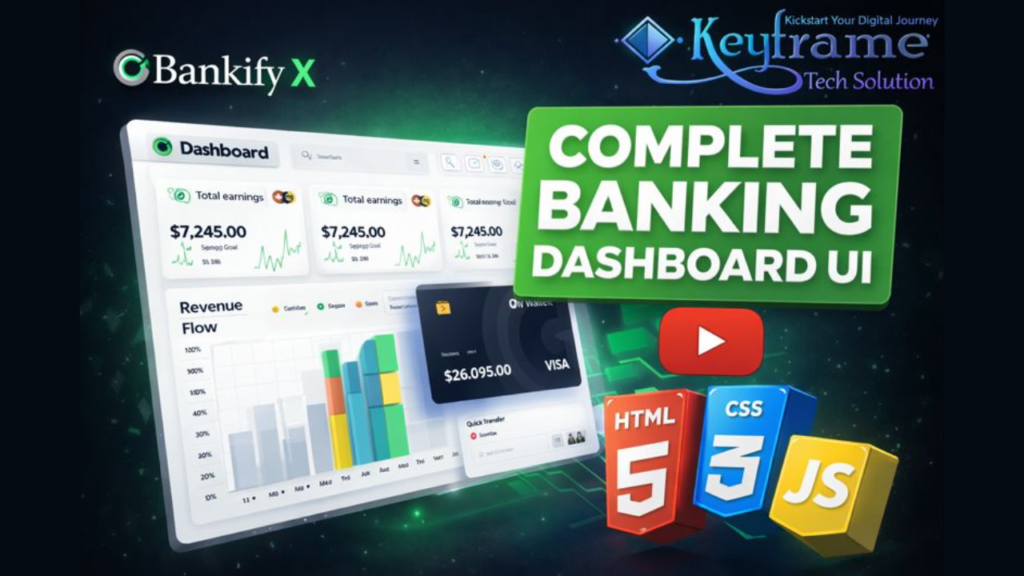
BankifyX is a complete admin dashboard UI designed with a modular and extensible structure. It includes multiple dashboard pages, analytics views, wallet and transaction interfaces, inbox systems, user management sections, and utility pages such as calendar, history, and error handling.
The dashboard follows a professional admin panel layout with a collapsible sidebar, top navigation bar, content cards, charts, and data tables. This makes BankifyX suitable for developers searching for an admin dashboard template HTML CSS JS that reflects real production environments.
Admin Dashboard Design Approach
A strong admin dashboard design focuses on clarity, consistency, and scalability. BankifyX applies these principles through:
- Sidebar-first navigation for fast access
- Card-based KPI presentation
- Clear visual hierarchy for analytics
- Consistent spacing and typography
- Reusable UI components
This approach ensures that the dashboard remains readable even as data density increases, which is essential for enterprise-level admin systems.
Confirmed Folder Structure & Architecture
Based on the source files, BankifyX follows a clean and organized admin panel architecture:
- Multiple standalone HTML pages (dashboard, analytics, wallet, inbox, user, calendar)
- A dedicated assets directory for CSS, JavaScript, icons, and vendor files
- Separate scripts for UI interactions and charts
- Utility-based styling aligned with Tailwind CSS principles
This structure supports maintainability and makes the template ideal for long-term projects and team collaboration.
Dashboard Pages Breakdown
1. Main Dashboard Page
The dashboard home page displays earnings, spending, goals, wallet balance, and performance charts. These components demonstrate a real-world admin dashboard UI where KPIs are visible at a glance.
The layout uses cards, mini charts, and progress indicators, which are commonly expected in a modern admin dashboard template.
2. Analytics Dashboard
The analytics section focuses on data visualization and insights. It includes:
- Date-based filters
- Revenue and performance charts
- Monthly and weekly statistics
This page reflects best practices in admin dashboard design, especially for data-heavy applications.
3. Transactions Module
The transaction pages are designed for financial records, order histories, or system logs. This makes BankifyX a practical option for anyone building an admin dashboard for ecommerce website or finance-based platforms.
The layout prioritizes readability, filtering, and structured data presentation.
4. Wallet & Finance Interface
BankifyX includes a wallet UI featuring balance cards, quick transfer components, and payment summaries. This structure is suitable for fintech dashboards, subscription billing systems, and internal accounting tools.
5. Inbox & Notification System
The inbox page supports internal messaging, notifications, and admin alerts. It is designed to integrate smoothly with backend messaging or notification APIs.
6. User Management Pages
User listing and profile interfaces are a core part of most admin panels. BankifyX includes clean layouts for managing users, making it suitable as a base admin panel template for SaaS and enterprise applications.
7. Calendar & History Pages
Calendar and history sections allow scheduling, event tracking, and log viewing. These utility pages enhance the completeness of the admin dashboard template.
8. Error & Utility Pages
The template includes a structured 404 error page, which is an important but often overlooked part of professional admin dashboard design.
Admin Dashboard Login UI
BankifyX features a clean and minimal admin dashboard login interface. The login UI follows modern UX patterns with clear form structure and visual focus, making it suitable for secure admin access workflows.
This layout can be extended to include role-based access, authentication APIs, or multi-step verification flows.
Technology Stack Explained
HTML5
Semantic HTML5 ensures accessibility, SEO-friendly structure, and compatibility across browsers.
CSS & Tailwind CSS
The styling approach follows utility-first principles similar to admin dashboard template tailwind css implementations. This allows rapid customization and consistent UI behavior across pages.
JavaScript
JavaScript is used for interactive elements such as dropdowns, charts, date pickers, and UI state management. This supports a dynamic admin experience without framework lock-in.
Tailwind-Based Admin Dashboard Template Benefits
Developers often prefer an admin dashboard template tailwind because it offers:
- Faster UI customization
- Smaller CSS footprint
- Consistent design tokens
- Easier scaling across components
BankifyX aligns with this approach while remaining framework-agnostic.
HTML CSS Admin Dashboard Template Use Cases
BankifyX works well for developers looking for an admin dashboard template html css foundation that can be integrated with any backend technology.
Common use cases include:
- SaaS admin panels
- Ecommerce dashboards
- CRM systems
- Fintech and analytics platforms
- Internal business tools
Customization & Scalability
The modular structure of BankifyX allows developers to:
- Add new admin dashboard pages
- Replace charts and data sources
- Extend analytics modules
- Integrate REST or GraphQL APIs
This makes it suitable for both small-scale applications and enterprise-level dashboards.
SEO & Performance Considerations
The clean HTML structure and optimized assets support good performance metrics. From an SEO perspective, the content and structure align naturally with queries such as:
- admin dashboard template
- admin dashboard template html css
- admin dashboard template tailwind css
- admin dashboard ui design
- admin dashboard login
Why BankifyX Admin Dashboard?
- Professional admin dashboard UI
- Well-organized folder structure
- Scalable and modular architecture
- Tailwind-based modern styling
- Suitable for ecommerce, SaaS, and fintech projects
BankifyX provides a strong starting point for building reliable and visually consistent admin dashboards.
You may also like:
Gym Website Design using HTML CSS JavaScript
Travel Website Hero Section Using HTML CSS JavaScript and Tiny Slider
Memecoin Website Template for Meme Coin & Crypto Projects
Dental Care Website Using HTML, CSS & JavaScript – Health & Medical Project
Download Source Code
If you want to explore the complete layout, components, and architecture of the BankifyX admin dashboard template, you can access the source code using the download section below.
The source package includes:
- Complete admin dashboard pages
- Analytics, wallet, and transaction layouts
- HTML, CSS, and JavaScript files
- Organized assets and UI components
👇 Use the download button below to access the full BankifyX admin dashboard template source code.
3 people bought this
Grab it Now for Just 199 ₹499


